Guide
Your AI ad looks good. Is it selling the right product?
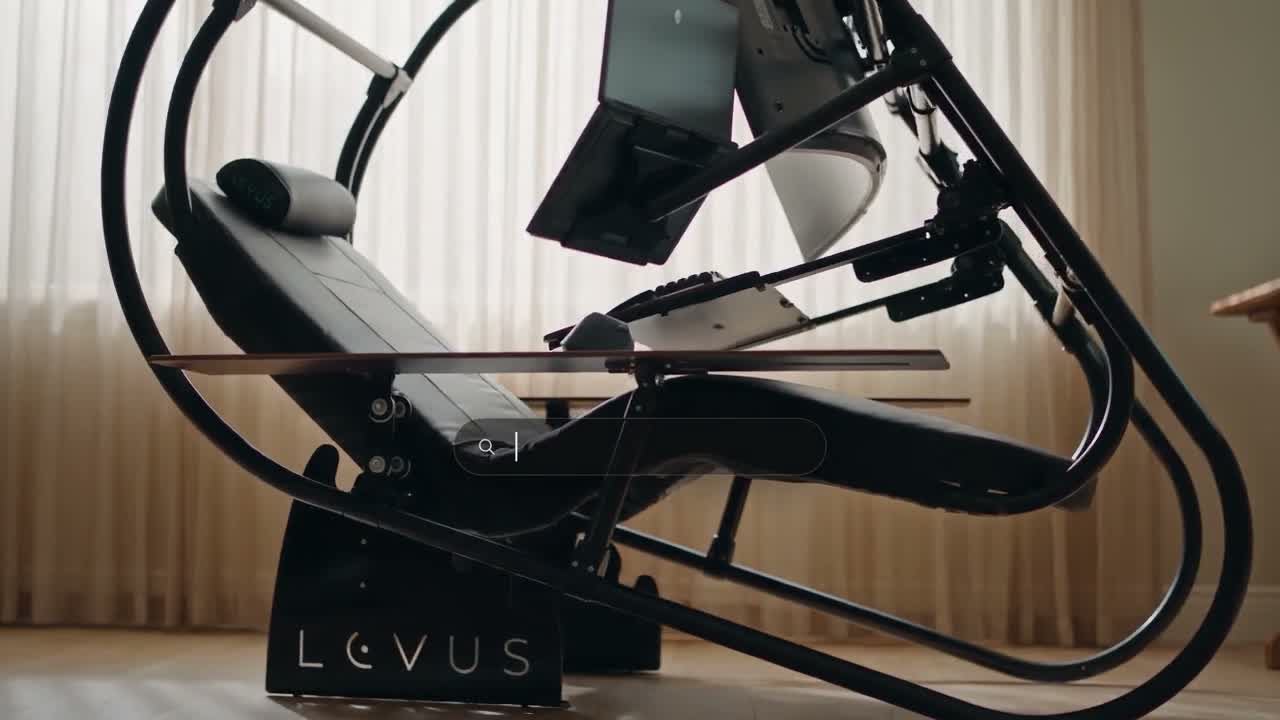
The easiest mistake in an AI product ad is also the most expensive: approving a beautiful shot of something you do not sell. A chair acquires an extra hinge. A bottle changes its cap. A screen shows a feature the software does not have. The mood is convincing enough that nobody notices until the client does.
The answer is not a longer prompt alone. It is a small set of facts that survives every stage, from the first reference to the exported film. This is the checklist we recommend before commissioning or approving a product ad.
1. Separate what must be exact from what can be imagined
Create two lists. The first holds non-negotiables: product silhouette, component count, materials, logo, colours, real controls and the order in which parts move. The second holds creative freedom: lighting, environment, camera movement, pacing and the story around the product. Never let an atmospheric reference override a product fact.
- Supply front, side and detail photographs of the actual version being sold.
- Include a short real demonstration when the product moves. A still cannot explain a mechanism.
- Mark what must never be invented: accessories, screens, buttons, labels or performance claims.
- Name the person on the client team who can approve factual accuracy.
2. Choose the technique shot by shot
An AI-generated environment may be right for a wide atmospheric shot. A real product photograph, filmed demonstration or approved 3D model may be right for a mechanism close-up. The point is to make the right film, not to force every frame through one technique. Keep a product reference visible beside the shot during review.
Our Levus film puts a transforming workstation at the centre of a short story. Watch the silhouette, the monitor placement, the controls and the change in position on filmito.io/en/case-studies?play=native-levus-product. These are useful things to check in a product film. A cinematic depiction is not, by itself, an engineering certification or proof of a health benefit.
3. Review the transitions, not just the poster frame
A still can be accurate while the next half-second is not. Scrub the whole shot slowly. Look at contact points, joints, shadows, reflections and the moment a hand touches a control. Check whether an object changes shape across a cut. If a moving component cannot be made reliable, show a truthful detail instead of hiding the error with a fast edit.
4. Treat words and claims as production assets
Provide the approved product name, price, offer, disclaimer and call to action in a separate text file. Add critical text as editable typography in the final composition, then proofread the export. Do not assume a generated label is correct because it is small. Do not turn a proposed benefit into a proven claim; evidence and client approval come first.
5. Check the actual delivery
- Play the final file from start to finish, with sound and without it.
- Review each purchased format; a horizontal composition does not automatically make a good vertical cut.
- Check the opening frame, safe areas, product visibility and final call to action on a phone.
- Match the export to the approved script, factual checklist and revision notes.
- Keep the approved references and final version together so the next campaign starts from facts, not memory.
“Do not approve a product because the frame is impressive. Approve it because the product is yours.”
Need a product film with a clear story and a careful reference review? Send the product, its real demonstration and your non-negotiables through filmito.io/en/see-your-ad. Scope and the right production method are agreed before work starts. Current packages are on filmito.io/en/pricing.